If your gaming PC or console is struggling with storage, there are some things you want to check.
By Nimrod Aldea Oct. 31, 2026 9:00 am EST Ekkaphan Chimpalee/Getty Images Add Engadget on Google: Preferred Source Google Discover
 When the original Tomb Raider came out on PC, it asked for about 100MB of hard drive space. The latest Lara Croft adventure, Shadow of the Tomb Raider, needs 40GB for the base game. That's roughly a 400-fold jump, and plenty of modern games follow the same pattern. Worse, when you uninstall one to make room for the next, some of that data can stay behind.
So why do games take up so much space today? Let's dig in.
The install size is only the starting number
Every game on a digital store lists the space it needs, and it's easy to see why. (A new drive can also show less storage than advertised, which makes every gigabyte count for more.) You need to know in advance whether you have enough free room on your drive and how much of your internet plan the download is about to eat. But that number is only for the base game. Patches, DLC and other extra content get added on top of it, and Steam treats DLC you own as part of the game itself.
Then there's the day-one patch. In the past few years, a lot of publishers have shipped a bare-bones version of a game and pushed the rest as a download at launch. On consoles, where storage is already tight, that can hurt. On PS4, Fallout 76 launched with a 54GB day-one patch on top of its 45GB base install, and Ubisoft told The Division 2 players on Xbox One and PC to expect a 48GB to 52GB download for its first update. On a PS5 or Xbox Series X, that's a big slice of the drive before you've played a single minute.
Updates, DLC and language packs keep adding up
Even games that launch complete keep changing. Developers patch them for months or years afterward to fix bugs, balance multiplayer, add features, improve performance or support new hardware. Each patch is usually small on its own, but they pile up, and some add to already large files rather than tweaking them. Steam can also need far more free space than the download itself while it applies a patch, since it builds the new version of the files before clearing out the old ones.
Then there's the extra content that has nothing to do with gameplay. Language packs are the best example. A game with full voice acting in a handful of languages can ship entire extra copies of its dialogue, and developers can make those optional through additional depots on Steam. Depending on the game, you may end up with languages you'll never use sitting on your drive. Add it all up, and the game on your drive can end up far bigger than the number on its store page.
Shader caches and screenshots grow quietly
 DC Studio/Shutterstock
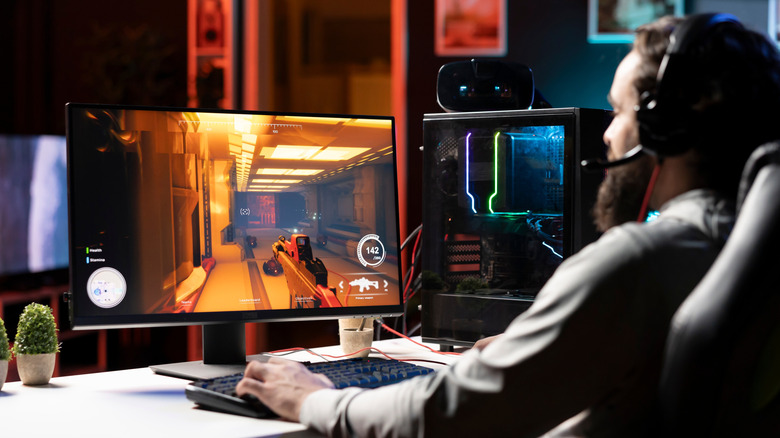
 And some of the biggest space hogs never appear on the store page at all. Screenshots and video clips pile up quietly, and on a console they can eat more than you'd expect. Astro Bot is a good example. Every time you earn a trophy, the PS5 saves a screenshot and a short clip of the moment using its recent-gameplay recording. The game has 63 trophies, 44 in the base game and 19 more in its DLC, which means 63 high-definition videos many players never knew were sitting on a console that was already short on space. Sony's PS5 capture settings let you turn trophy videos off or limit them to higher-grade trophies, and the clips can be deleted from the Media Gallery.
PCs have their own version of this. Steam can download pre-compiled shaders for your hardware so games run smoothly, and it stores them per game in steamapps/shadercache. Windows keeps a DirectX shader cache of its own, which shows up under Temporary files in Storage settings. Valve says its pre-cache updates are designed to be small, though some users report folders growing to many gigabytes. Steam screenshots also stack up per game inside the userdata folder.
What an uninstall leaves behind
Uninstalling a game on Steam removes its game files, but not everything the game created along the way. Saves and settings often stay in folders like Documents, My Games or AppData, and the shader cache for that game can stay in steamapps/shadercache, in a folder named after the game's App ID. Mods, crash dumps and Workshop content can also linger, and so can an empty game folder.
Part of the reason is that Steam only tracks what it installed. Anything the game wrote elsewhere on your drive sits outside its uninstaller, and saves are left alone on purpose, so you don't lose your progress if you reinstall later. Shader caches and screenshots are an afterthought, so nobody cleans them up for you.
Clearing them out is mostly a manual job, and it starts with seeing what's actually taking up space on Windows. First, check that the game supports Steam Cloud, or back up the save folder yourself, then delete what you don't need. The shadercache folders for games you no longer play are safe to remove, since each game rebuilds its cache the next time you launch it, sometimes with a little stutter in the first session. Windows' DirectX Shader Cache can be cleared from Settings > System > Storage > Temporary files, and old screenshots can be pruned from Steam's userdata folder. On a PS5, the Media Gallery is where those trophy clips live.
None of this is going to get smaller in the near future. Grand Theft Auto VI is the clearest sign yet: The PS5 version is reportedly listed on the PlayStation Store with a 210GB download, according to the PlayStation Game Size account, but that's a figure Rockstar hasn't confirmed. On a base PS5 with roughly 667GB of usable space, that would take up nearly a third of the drive. If the biggest game of the generation is already this heavy at launch, the ballooning isn't a phase — it's a feature.