Advances in adapters mean you could ditch Wi-Fi for better performance.
By Anna Washenko May 27, 2026 11:30 am EST Natallia Boroda/Shutterstock
 Wi-Fi is a way a life. Between smartphones and laptops, even within our homes, we expect to be connected wherever we are. It's a powerful resource, but not a perfect one.
I'm sometimes at the mercy of service being throttled at peak times and facing interference from my many neighbors with their own networks. Even in my modestly sized apartment, there are times where the Wi-Fi network has weak spots. Since I'm renting, I can't just rip into the walls to put ethernet ports where I need them, and in this hundred-year-old building, there's only one outlet where I can put my router. For the homeowners out there, you may have higher priorities for your budget than paying for this type of modification, even though distance and physical obstructions might be weakening Wi-Fi signals. Mesh Wi-Fi systems and Wi-Fi extenders can help alleviate those problems, but sometimes, the best solution is to go straight to the source.
The benefits of wired internet
Performance with a wired ethernet connection will almost always be better than a Wi-Fi network. Your device is directly tapping into your router via a cable, meaning less latency and less interference from other signals. That makes wired connections a much better option particularly if you engage in a lot of demanding activities, like playing online games online or making video calls. But even if all you're doing is streaming a favorite show, it's just a better experience if the picture quality stays at a crisp 4K with no buffering.
The obvious action is to run a web of network cables around your home to anywhere you might want access, but that comes with big downsides. It's only feasible if you have a small space with no overly curious children or pets. Between clips and covers, there are ways to minimize the wires' presence, but it's hard to disguise them completely.
A more practical choice is to use specialized adapters that mostly take advantage of other wiring systems that are already in your walls. Several years ago, these adapters were a bit of a joke, but over time they've become a reliable option for improving your ethernet availability. There are three main options available, each with their own pros and cons to consider based on your needs, your home and your budget.
MoCA adapters
 Factoryth/Getty Images
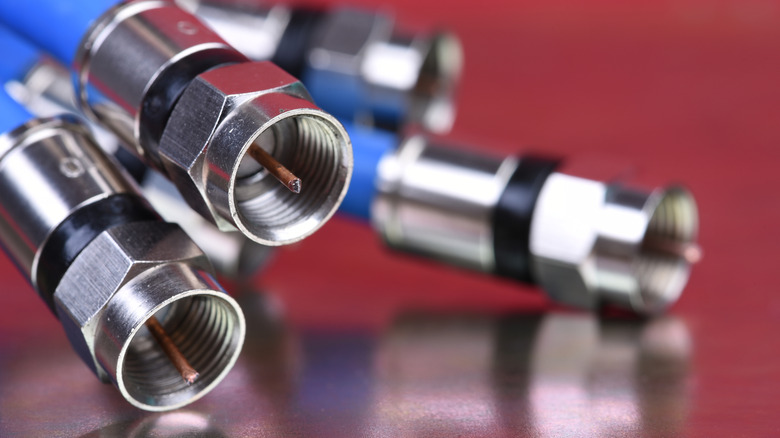
 One system that can supplant ethernet is MoCA, which stands for multimedia over coax alliance. This adapter uses coaxial cables, which you might also use for your cable TV provider, to send broadband internet signals. Depending on how recent your construction is, you might be more likely to have these outlets scattered around your home's baseboards than ethernet ones. Since the coaxial tech is a more recent development for home use, it's also pretty well standardized, meaning you can expect reliably good performance for networking.
If you decide to use a MoCA setup and your modem is already connected to a coax, check with your internet provider to see whether your current model supports the tech. You'll only need one adapter for the coax outlet elsewhere in your home if it does; otherwise, plan to pick up two. You'll likely also need a cable splitter in that instance so that you can have both the modem and an adapter sharing a single coax outlet. The current standards for MoCA promise a max of 2.5Gbps, but depending on the age and quality of your cables and adapters, real-world speeds could be anywhere between 400Mbps and that top target.
Powerline adapters
 Chuyn/Getty Images
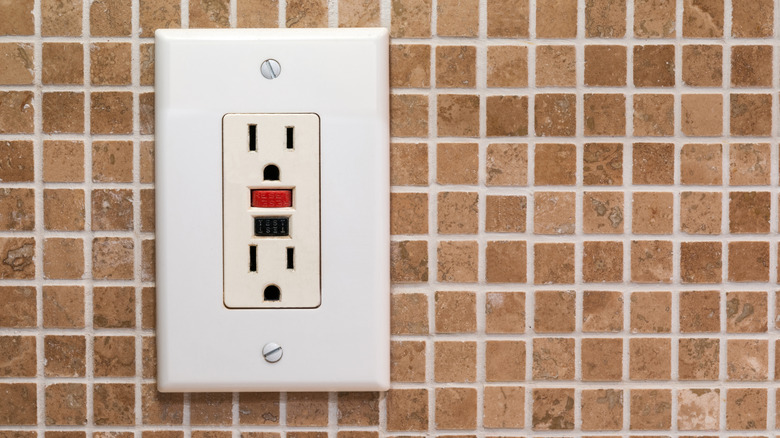
 The other, and perhaps simplest, choice is a powerline adapter, which does the same thing as a MoCA but using your electrical wiring system. For the curious minds out there, both of these adapters work thanks to orthogonal frequency division multiplexing. Very roughly speaking, OFDM lets a signal provider change the frequency it broadcasts on.
To get started with powerline, you need at least two adapters. You'll connect one adapter to your router with an ethernet cable, and then plug it directly into a wall outlet. The other adapter plugs into an outlet near where you need internet access, and is connected to your device via another ethernet cable. Most starter kits include two adapters and two ethernet cables, making getting started with a basic point-to-point network simple. There are also adapters that create their own Wi-Fi network, but as we already covered, ethernet is more reliable.
So, how fast is powerline? You'll see systems advertised with speeds anywhere from hundreds to thousands of megabits per second. Don't expect to ever hit those maximums. Regardless of whether a product promises 400Mbps or 1,200Mbps speeds, your actual results will be capped by the wiring in your home.
To get the absolute best performance, all the outlets you're using for powerline should be on the same breaker, and no appliances should be sharing that circuit. In that unicorn setup, you might expect reliable speeds of 600Mbps from a high-end adapter set. Things degrade further as the path for the signal gets more complex. If the adapters are on different breakers but the same side of your electrical panel, you might see speeds drop to 300Mbps, whereas if they're going to a breaker on the opposite side of your panel, they could drop all the way down to 100Mbps.
The important thing to know about powerline is that other things plugged into outlets can introduce noise and interference to your wiring and mess with signals. If you have a powerline adapter plugged into the same duplex outlet as a blender, for example, your signal could cut out every time you use that appliance. And turning on major appliances like HVACs and dryers can seriously degrade performance, especially when your adapters are on different circuits. The further the signal has to travel, the more likely it is to be degraded by bad wiring or experience interference from appliances somewhere along the way. Older buildings with, let's say, creative A/C grids might not be a good fit for this system at all.
With that said, many newer powerline models do a good job of canceling out the "noise" of your wiring, and the system as a whole has the bonus of taking advantage of a standard outlet, making it a good fit for more homes than MoCA. Regardless of your setup, keep in mind that complexity is the enemy of powerline, and always avoid using extension cords or plugging large electronics into the same duplex outlet as an adapter.
Ethernet over fiber
 Lightera
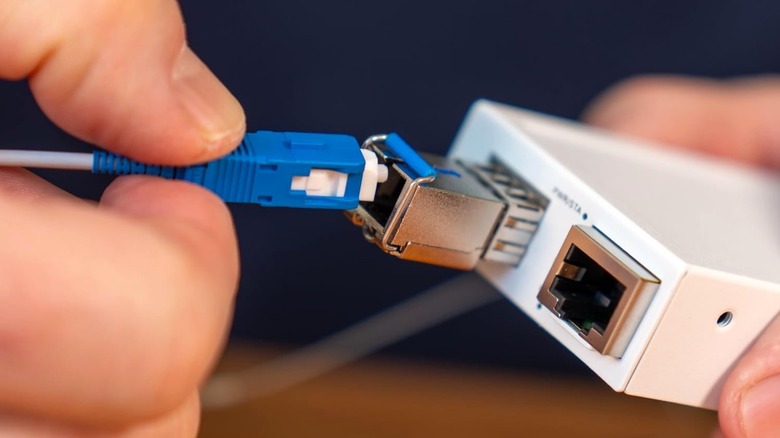
 The final choice is to use ethernet over fiber. Just as MoCA and powerline adapters send broadband signals over your home's existing wires, this approach uses newly placed fiber optic cables to carry your internet to wherever you need it.
The biggest benefit of this approach is in performance. Fiber optics don't suffer from the same signal degradation that the adapters for other wires do, so if you buy a kit that promises 1Gbps, that's the speed you'll get. There's no dice roll based on the quality of your existing wiring, other electronic uses or random architectural quirks in your home. These cables are very thin, so they don't have the same disruptive presence as typical ethernet wires would be running along your baseboards. You can lay them out without causing a tripping hazard or busting open your walls.
Because they're filled with delicate glass, you do need to be careful about kinking fiber optic cables. Some DIY kits come with very thin, extremely flexible fiber that will bend around a tight corner or fit under a door, while others come with cables that are thicker and less flexible. Be sure to pay attention to minimum bend radius when picking out a solution, which tells you how tight a corner a cable can handle. A standard bend-insensitive cable might have a minimum bend radius of 10mm, while more specialized cables could turn 90 degrees in just 2.5mm.
On the flip side of the coin is, well, the coin. This option is notably more expensive, with kits that can run a couple hundred dollars a pop compared to a more budget-conscious adapter. And while the setup process isn't terribly complicated, the fiber optics do require more labor on your end since you'll be laying out and affixing the delicate cables yourself. If you aren't confident in your fine motor skills while wielding glue, this route can pose a challenge. But people willing to pay for premium performance might find this alternative to ethernet worth the investment.